Run 2 Unblocked — Play Free Online
More Tunnels & Reflex games



Run 2 unblocked: play Run 2 online free right here in your browser — no download, no sign-up, works on a school Chromebook.
Run 2 is a classic three-dimensional platformer set inside hollow tunnels floating across deep space. You guide an agile character sprinting forward along suspended platforms where any misstep sends you drifting into the void. The standout mechanic is fluid gravity shifting: running onto a side wall or ceiling immediately rotates the entire corridor around you, transforming vertical surfaces into solid ground beneath your feet.
For players visiting Rolly Vortex, Run 2 offers the same pure reflex loop with a tactical spatial twist. Instead of simply reacting to oncoming hazards down a fixed path, you actively choose your route through the tunnel by deciding which walls to run across and when to leap over missing floor segments.
How to play
Getting started takes only seconds, but navigating later stages demands sharp timing and spatial awareness.
- Steering and wall walking: Press the Left and Right Arrow keys (or A and D) to move laterally across the track. Stepping onto an adjacent wall shifts gravity and flips the tunnel perspective.
- Jumping: Press Spacebar or the Up Arrow (or W) to leap across empty gaps and detached platforms. Holding the jump key slightly extends your airtime.
- Character selection: You can tackle levels as either the Runner or the Skater. The Runner offers balanced speed and precise landing control, making him ideal for tight platforming. The Skater travels much faster and glides across wider gaps, though his momentum takes practice to steer cleanly.
Essential tips for navigating space tunnels
Success in Run 2 comes from planning your route several tiles ahead rather than reacting at the last split second.
- Rotate walls early: If you spot a massive gap directly ahead on the floor, steer onto the left or right wall well before you reach the edge to find a continuous strip of solid tiles.
- Watch for crumbling paths: Certain light gray tiles fall away moments after contact. Treat these as quick stepping stones and keep your forward momentum steady.
- Match the character to the stage: If a level features narrow, jagged turns, pick the Runner for fine directional control. For stages with massive chasms, switch to the Skater to clear long distances effortlessly.
- Recover mid-air: If you miss a platform while jumping, steer laterally toward a nearby side wall. Landing on any perpendicular surface resets your footing instantly.
Similar reflex games on Rolly Vortex
If you enjoy the fast reaction challenges of Run 2, explore these companion titles across the site:
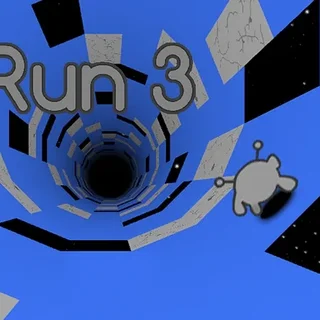
- Run 3: The direct sequel featuring an expanded galaxy map, new tunnel shapes, and multiple unlockable alien characters with distinct abilities.
- G-Switch 2: A high-speed runner that centers entirely on flipping gravity between ceilings and floors to dodge sudden obstacles.
- Color Tunnel 2: A vibrant reflex test where you dodge rapidly rotating geometric barriers inside an endless cylindrical tube.
- Rolly Vortex: The flagship rolling game where you guide a sphere through intricate vortex gaps at breakneck speed.
Questions about Run 2
Is Run 2 unblocked at school?
Run 2 runs in an ordinary browser tab from rollyvortex.org, with nothing to download or install, so it plays on most school Chromebooks and work computers. If a network filter blocks the site, only that network's administrator can change it.
What is the difference between the Runner and the Skater in Run 2?
The Runner provides standard running speed and precise jump landings, making tight platforming easier. The Skater moves much faster and covers longer jump distances, which helps clear wide gaps but requires quicker reflexes.
How does gravity shifting work in Run 2?
When you steer your character onto a left or right tunnel wall, gravity dynamically rotates 90 degrees so that the wall becomes the new floor. This allows you to bypass missing floor tiles and find alternative pathways.
What are the primary controls for playing Run 2?
Use the Left and Right Arrow keys or A and D keys to steer sideways and run along tunnel walls. Press the Spacebar, Up Arrow, or W key to jump over gaps. Press P to pause the game.
Can I play Run 2 directly in my web browser without plugins?
Yes, Run 2 runs directly in modern desktop and mobile web browsers without requiring Flash, additional plugins, or file downloads.